
Real-time analytics dashboards that don't buckle at scale
Real-time analytics dashboards earn their keep when they stay fast under load. Here is the architecture we ship — streaming, materialized views, latency budgets, and lessons learned.
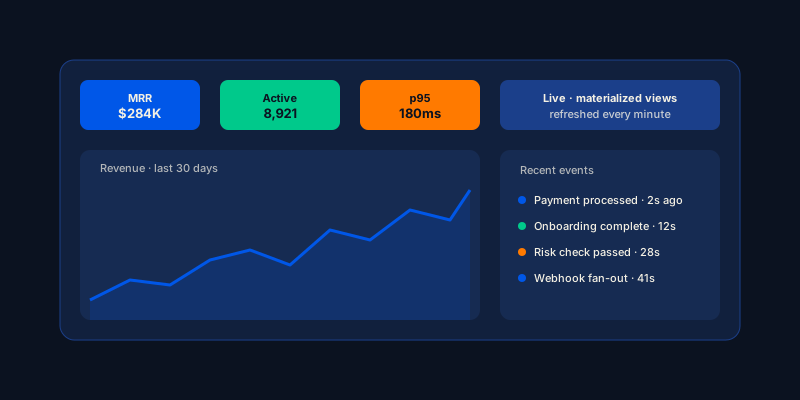
The first real-time analytics dashboard I shipped looked great in the demo. Snappy charts, live counters ticking up, the customer was visibly excited. Two months later, traffic doubled and the page took 14 seconds to load. The cause was not the front-end — the cause was a 200-line SQL query that recomputed three months of data every page view.
Real-time analytics dashboards are a category where the demo looks easy and production is hard. The patterns that separate the two are mostly architectural, mostly boring, and mostly the same across every dashboard development engagement we run.
This is what we ship now.
What “real-time” usually means in practice
Before anything else: define what “real-time” actually means for the dashboard you are building. The spectrum runs from sub-second freshness (fraud monitoring, trading) to 5-15 minute freshness (most operator dashboards) to hourly (BI dashboards).
Most dashboards do not need sub-second. Customers tolerate 5-minute lag on a “live” revenue view. Operators tolerate it too. The cost difference between minute-fresh and second-fresh is roughly an order of magnitude in infrastructure spend, so picking the right tier matters.
For sub-second freshness, you are in Materialize or RisingWave territory. For minute-fresh, materialized views over a warehouse work. For hour-fresh, scheduled batch is fine. Pick deliberately.
The four-layer dashboard stack
The shape that holds up for production operator dashboards and embedded analytics has four layers.
Layer 1: ingest. Event streams from your application — Kafka, Kinesis, or Postgres CDC via Debezium. Every meaningful action emits an event. Resist the urge to do this synchronously from the application code; emit asynchronously through an outbox table.
Layer 2: aggregation. This is where the dashboard latency budget lives. Materialized views (Postgres, ClickHouse), incremental views (Materialize, RisingWave), or warehouse pre-computed cubes (Snowflake, BigQuery). The cardinality of your data determines the choice.
Layer 3: query. A thin API layer (REST, GraphQL, or Cube.js as a semantic layer) that serves aggregations to the front-end. Per-tenant scoping happens here, with row-level security enforced one layer down.
Layer 4: render. Recharts or ECharts on React for most dashboards. The front-end’s job is to display already-aggregated data, not to recompute anything.
The mistake teams make most often is to skip layer 2. They put raw event data behind layer 3 and expect the database to handle the aggregation per request. That works at low data volume and fails the moment usage scales.
Push aggregation upstream
The single highest-leverage performance lever on any dashboard is pushing aggregation upstream. If a chart computes sums and averages over a million rows in the browser, the dashboard will never feel fast. If a chart reads from a materialized view that is already aggregated by minute, by hour, or by day, the dashboard reads in milliseconds regardless of how big the underlying dataset is.
The query patterns operators run are predictable. Most dashboards have 20 to 50 distinct shapes of query — total revenue by month, active users by day, p95 latency by minute. Materialize each of those shapes. Refresh on a schedule that matches the freshness budget for that view. Read from the materialized layer, never from the raw events.
In Postgres, materialized views with a refresh cadence of one minute serve dashboards up to a few hundred concurrent users. In ClickHouse, the equivalent runs on billions of rows. In a warehouse like Snowflake or BigQuery, scheduled cube builds via dbt are the same shape.
Cache aggressively, invalidate explicitly
The second biggest lever is caching. Most dashboards re-run identical queries every page load. A per-tenant cache key, a 60-second TTL on most aggregations, and explicit invalidation on data-changing events removes most of the load on layer 2.
The shape we ship:
interface DashboardCache {
  get(tenantId: string, queryKey: string): Promise<unknown | null>;
  set(tenantId: string, queryKey: string, value: unknown, ttlSec: number): Promise<void>;
  invalidate(tenantId: string, pattern: string): Promise<void>;
}
Redis as the backing store. Cache keys include the tenant id (always) and a hash of the query parameters. Invalidation fires when an outbox event flags that the underlying data has changed — so if a customer makes a payment, the revenue view for their tenant invalidates within seconds.
The trap to avoid: long-lived cache without invalidation. Customers see stale data and lose trust faster than they would have with a slow but fresh dashboard.
Decimate time-series data before it hits the chart
A chart with 50 visible data points on screen needs at most 200 rows of data, not 200,000. Decimate at the query layer, not in the browser. Most charting libraries (Recharts, ECharts) accept already-decimated data; sending raw events is the easiest mistake to make.
The pattern is straightforward: time_bucket('5 minutes', occurred_at) in Postgres, toStartOfFiveMinutes(occurred_at) in ClickHouse. The chart picks a bucket size based on the visible window. Zoom in, smaller buckets. Zoom out, larger buckets.
When the chart needs to show every event (a fraud-monitoring view, for example), the right answer is usually pagination plus virtualization, not “send a million rows.” React libraries like react-window or TanStack Virtual handle this cleanly.
Skeleton-load every panel independently
Block-rendering the entire dashboard until every query returns is the worst pattern. Each panel should fetch and render on its own timeline with a skeleton state. Customers feel the dashboard is fast even when one panel is slow, because they can act on the panels that loaded first.
The shape: each panel is a React component that owns its own data fetching, error state, and skeleton. The dashboard layout is dumb — it places panels, it does not coordinate them. Suspense or react-query make this trivial in modern React.
A small detail that compounds: log the load time of every panel, broken out by tenant and query shape. The slowest panel of the slowest tenant is almost always the bug worth fixing this sprint.
Pick the right backend for the data shape
Backend choice drives almost everything else. The trade-offs:
Postgres. Works for dashboards up to low billions of rows, especially with TimescaleDB for time-series workloads. Easiest to operate. Right answer for early-stage products.
ClickHouse. Sub-100ms queries on billions of rows. Best fit for analytical dashboards, embedded analytics, telemetry. Costs less at scale than warehouse-style options for dashboard-shaped reads.
Materialize. Sub-second freshness on streaming data. Best fit for live operational dashboards where seconds-of-freshness matter. Higher cost per row of state.
Snowflake / BigQuery. Best when the warehouse is also the analytics workhorse for the rest of the business. Concurrency-sensitive pricing makes it expensive for high-traffic dashboards.
Most platforms end up with two backends: a warehouse for company-wide BI plus a dashboard backend (ClickHouse or Materialize) for customer-facing surfaces. The split lets each system play to its strengths.
What ships in the first sprint
When a team comes to us asking for a real-time dashboard, the first sprint typically delivers:
- Outbox-backed event ingestion from the application database.
- One materialized view per planned chart, refreshed on the right cadence.
- A thin API layer with per-tenant scoping and Redis-backed caching.
- The first three or four panels rendering from the API, with skeleton states.
- Latency instrumentation on every panel.
- A documented invalidation contract so the team can add new metrics without reasoning about cache from scratch.
After this the team has a working dashboard with predictable latency and a pattern for adding more views. Subsequent sprints add more sophisticated panels, the embedded-analytics surface for customers, and the operator-side admin tools that keep the dashboards honest.
Common ways teams get this wrong
- Aggregating in the browser. A million rows over the wire to compute one number is the original sin.
- Synchronous event emission from the request path. Use an outbox table; emit asynchronously.
- No per-tenant cache key. Cross-tenant cache leaks are a worse incident than slow dashboards.
- Long TTLs without invalidation. Stale data hurts trust faster than slow data.
- One chart library, then a second one for “just this chart.” Pick one; the team will maintain it for years.
- Letting customers customize SQL. They will ship queries that take down the warehouse. Expose a chart-spec DSL or curated measures.
Frequently asked questions
How fast should a dashboard load?
Operator dashboards: sub-500ms p95 page load. Customer-facing analytics: sub-1s p95. Action latency (clicking a filter, opening a detail panel): sub-200ms. Past those numbers, customers start to feel the lag.
Should I use ClickHouse or Snowflake for dashboards?
ClickHouse for dashboard backends where query latency under 100ms on large fact tables matters. Snowflake when the warehouse is also serving company-wide BI and you want one system. Our side-by-side comparison covers the trade-offs.
What about Materialize?
Materialize wins when sub-second freshness is non-negotiable — live operational ops, fraud monitoring, trading-style products. For everything else, materialized views over a warehouse are simpler and cheaper. The Materialize vs ClickHouse comparison covers the decision.
How long does a production dashboard take to build?
A focused operator dashboard with 5–10 panels takes 6 to 8 weeks. A full embedded-analytics product for customers, with multi-tenant scoping and chart-spec DSL, typically takes 3 to 4 months.
Closing thought
Dashboard performance is not a front-end problem dressed up as a back-end problem. It is a system problem that almost always benefits from pushing work upstream — into the warehouse, into materialization, into pre-computation. The team that adopts these patterns early ships dashboards that stay fast as data volume grows. The team that retrofits them later does so under deadline, badly.
If you want this thinking applied to your platform, our dashboard development team ships these patterns as the default starting shape. A 30-minute strategy call is the fastest way to figure out which backend and which freshness tier fits your dashboard.