
A founder told me last month: “We are on Salesforce but it does not do what we need. Should we build custom or find another SaaS product?” I asked what Salesforce was not doing. She said: “Our sales process has conditional approvals based on deal structure, and Salesforce only lets us configure three approval layers. We need seven.”
That is the custom vs SaaS question in one sentence. SaaS products are built for the 80% use case. When your process is the 80%, SaaS wins. When your process is the 20%, you pay the SaaS tax every day — workarounds, manual steps, and features you cannot ship because the platform will not let you.
This is the decision framework I use when a client asks whether to build or buy, based on four years running Dashhold and a decade before that building custom systems for companies that tried SaaS first.
The cost structures are opposite
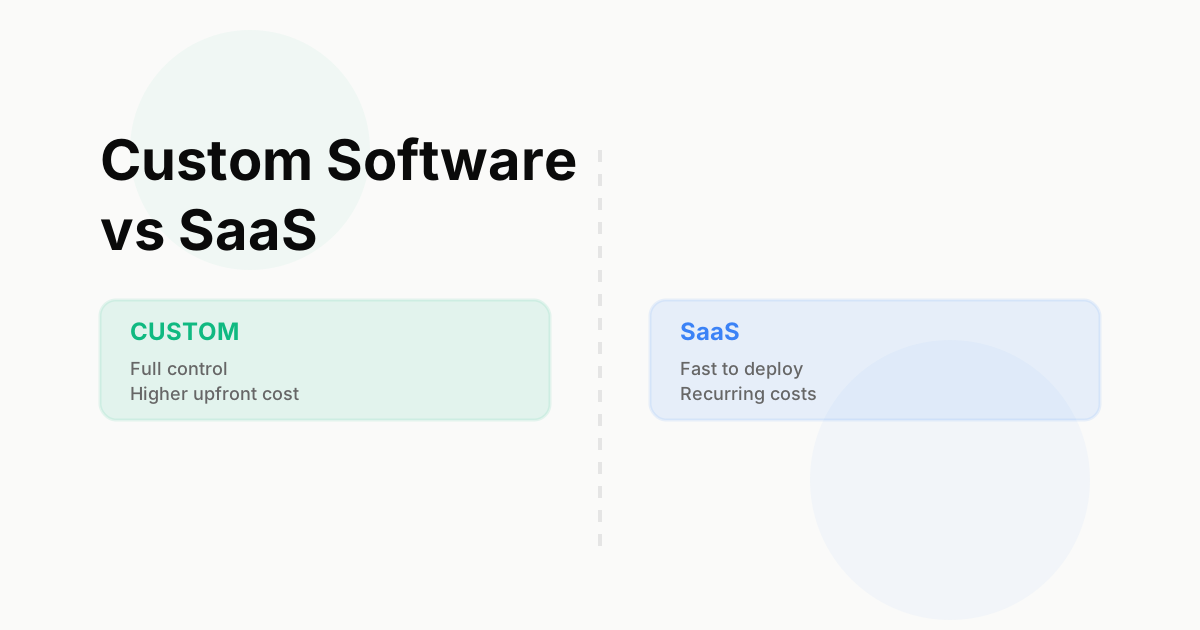
SaaS and custom software have inverted cost curves.
SaaS: low upfront, high recurring
SaaS is cheap to start. $50/month for the base plan, $200/user for the growth tier, maybe $2,000/month at scale. You are live in a day.
The recurring cost compounds. Year one is $24k. Year five is $120k if you have grown and need the enterprise tier. Year ten is $300k because SaaS reprices as you scale.
Total cost over 5 years: $200k–$500k for a mid-market SaaS product used by a 50-person team.
Custom: high upfront, low recurring
Custom software costs $50k–$300k+ to build, depending on complexity (see our cost guide). You wait 12–20 weeks before you have a working system.
The recurring cost is maintenance and hosting. $5k–$15k/month for infrastructure, monitoring, and bug fixes if you have an in-house team. Add $20k–$40k/year for feature work.
Total cost over 5 years: $150k–$400k for a moderately complex custom system.
The crossover point is usually year 2 or 3. Before that, SaaS is cheaper. After that, custom is cheaper — and you own the system.
The control trade-off
The real difference is not cost. It is control.
SaaS: You rent features
You get what the vendor built. If your workflow does not fit, you configure around it — custom fields, Zapier glue, manual steps. If the vendor deprecates a feature, you lose it. If they raise prices, you pay or migrate.
What you cannot do with SaaS:
- Change the data model (you get the fields the vendor gives you)
- Customize the UI beyond themes and field placement
- Control the roadmap (the vendor builds for the market, not for you)
- Integrate deeply with internal systems (APIs are limited by what the vendor exposes)
- Meet compliance requirements the SaaS product was not built for
Example: A vertical SaaS company using HubSpot for customer management hits a wall when they need to model custom contract terms that HubSpot’s deal object cannot represent. The workaround is a spreadsheet that lives outside HubSpot, breaking the single source of truth.
Custom: You own the system
You control the data model, the UI, the integrations, and the roadmap. If a workflow does not fit, you change the workflow — or you change the system.
What you can do with custom:
- Model your actual process, not the vendor’s idea of your process
- Build customer-facing features that differentiate your product
- Integrate with internal systems at the database level, not just APIs
- Meet niche compliance requirements (HIPAA, PCI, industry-specific standards)
- Extend and evolve the system as your business changes
Example: A fintech using a custom lending platform can add a new underwriting rule in one sprint. The same change in a SaaS lending platform requires a feature request, six months of vendor prioritization, and a workaround in the meantime.
When SaaS wins
SaaS wins when the problem is horizontal, well-solved, and not your competitive moat.
Use SaaS for:
Back-office tools. Accounting (QuickBooks), HR (Gusto), support ticketing (Zendesk). These are not competitive. Everyone uses the same tools. The value is in doing them well, not doing them differently.
Commodity workflows. Email (Gmail), file storage (Dropbox), video calls (Zoom). The commodity workflows have winner-takes-all SaaS products that are better and cheaper than anything you could build.
Time-to-market pressure. If you need to ship in weeks and the SaaS product gets you 80% of the way there, buy it. Speed matters more than fit for early-stage companies proving a hypothesis.
Small teams. If you have 5–20 people and no engineering team, SaaS is the only realistic option. You do not have the capacity to build and maintain custom software.
Example: customer support ticketing
Every company needs a support ticketing system. None of them gain competitive advantage from building one. Zendesk, Intercom, and Front are mature SaaS products that cost $50–$200/user/month and work well enough for 95% of companies.
Building custom here is a mistake unless your support workflow is so unusual that SaaS products cannot model it (rare).
When custom wins
Custom wins when the system is your competitive moat, your workflow is the 20% case, or SaaS constraints are blocking revenue.
Build custom for:
Core product features. If the system is what customers pay you for, you own it. A CRM vendor does not use Salesforce internally. A payment processor does not use Stripe. The system is the product.
Vertical-specific workflows. If your industry has unique compliance, data models, or user flows that horizontal SaaS cannot handle, custom is the path. Healthcare EHR, construction project management, supply chain logistics — these are verticals where SaaS products are generic and custom systems win.
Deep integrations. If your system needs to integrate at the database level with internal tools, SaaS APIs are not enough. You need control over the schema, the sync logic, and the failure modes.
Differentiation. If a feature would differentiate your product but SaaS platforms block you from building it, the SaaS platform is your ceiling. Custom removes the ceiling.
Example: fintech lending platform
A fintech lender has a multi-step underwriting process with document verification, credit checks, income analysis, and fraud scoring. The process is their IP. Using a SaaS lending platform means accepting the vendor’s underwriting model, which is generic.
Custom lending software lets them model their exact risk logic, integrate with niche data providers, and iterate on underwriting rules every sprint. The system is their moat.
The hybrid model: SaaS platforms you extend
Some SaaS products are platforms you can extend with custom code. This is the middle ground.
Platforms worth extending:
Salesforce. You can build custom objects, Apex code, and Lightning components. Works when 70% of your CRM needs fit Salesforce and you can build the last 30% on top.
HubSpot. Custom properties, workflows, and API integrations. Less extensible than Salesforce but cheaper and faster to start.
Retool. Low-code platform for internal tools. You can write custom JavaScript and SQL. Works for internal dashboards and admin panels when full custom is overkill.
Stripe. Payment infrastructure as a SaaS API. You build the customer-facing experience; Stripe handles card processing, compliance, and payout logic.
When the hybrid model fails:
The hybrid model fails when the platform’s data model does not fit yours and you cannot extend it. If Salesforce’s opportunity model cannot represent your deal structure, no amount of custom Apex code will fix it. You are stuck.
Rule of thumb: If you are writing workarounds for more than 30% of your workflows, the platform is the wrong choice. Build custom.
Decision framework: 5 questions
When a client asks “should we build or buy,” I ask five questions.
1. Is this system your competitive moat?
If yes, build custom. If no, buy SaaS.
Examples of moats: A fintech’s risk engine. A vertical SaaS’s CRM. A marketplace’s matching algorithm.
Examples of non-moats: Accounting, HR, email, support ticketing.
2. Does a SaaS product do 80%+ of what you need?
If yes, buy SaaS and live with the 20%. If no, build custom.
Test: Sign up for the SaaS product’s free trial and try to model your actual workflow. If you are Zapier-ing three tools together to make it work, the answer is no.
3. How unique is your process?
If your process looks like everyone else’s, SaaS wins. If your process is what differentiates you, custom wins.
Example: E-commerce checkout is generic. Everyone uses Shopify or a headless commerce API. E-commerce fraud detection is unique. Build custom.
4. What is your time horizon?
If you need to ship in 2 weeks, buy SaaS. If you have 12–20 weeks and a long time horizon (3+ years), build custom.
Rule: SaaS is faster upfront. Custom is faster long-term (no waiting on vendor roadmaps).
5. Do you have engineering capacity?
If you have no engineering team and no budget to hire one, SaaS is the only option. Custom software requires someone to maintain it.
If you have a team or you are contracting a product engineering studio, custom is on the table.
The migration pain is real
One more factor: migrating away from SaaS is expensive. Migrating away from custom is impossible (because you own it).
SaaS to custom migration
When you outgrow a SaaS product and decide to build custom, you pay twice — once for the custom build, and again for the data migration.
Migration costs:
- Exporting data from the SaaS product (often manual, sometimes via API)
- Cleaning the data (SaaS products let users enter bad data)
- Schema mapping (your custom data model will not match the SaaS model)
- Cutover downtime (hours to days, depending on system criticality)
Budget: 15–25% of the custom build cost for migration.
Example: Migrating 100k customer records from Salesforce to a custom CRM takes 2–4 weeks of engineering time for export, transformation, validation, and cutover.
Custom to SaaS migration
Rarely happens. If you built custom, it is because SaaS could not do what you needed. Going back to SaaS means accepting a worse system.
Exception: You built custom too early, before your process stabilized. The custom system is now technical debt. In this case, SaaS is a relief.
Total cost of ownership: a real example
Let me make this concrete with a B2B company that needs a customer onboarding platform.
SaaS option: off-the-shelf onboarding tool
Upfront cost: $0 (free trial)
Monthly cost:
- Year 1: $500/month (startup tier, 10 users)
- Year 2: $1,500/month (growth tier, 30 users)
- Year 3–5: $3,500/month (enterprise tier, 100 users)
5-year total: $162,000
What you get:
- Pre-built KYC workflows
- Document upload and verification
- Email notifications
- Basic reporting
What you do not get:
- Custom approval workflows (you get theirs)
- Deep integration with your CRM (API only)
- White-labeled UI (their branding stays)
- Flexibility to add features your customers ask for
Custom option: built-to-spec platform
Upfront cost: $120,000 (12 weeks, 3 engineers, 1 designer)
Monthly cost:
- Infrastructure: $500/month (AWS, monitoring)
- Maintenance: $2,000/month (bug fixes, minor updates)
- Feature work: $5,000/month (1–2 new features per quarter)
5-year total: $570,000 upfront + recurring = $120k + $90k = $210,000
What you get:
- Custom workflows that match your exact process
- Full integration with internal systems
- White-labeled UI that looks like your product
- Ability to ship customer-requested features
What you do not get:
- Instant deployment (you wait 12 weeks)
- Vendor support (you own the system)
The verdict
SaaS is cheaper in years 1–3. Custom is cheaper after year 3, and you own the system. If onboarding is your competitive moat, custom wins. If it is a commodity workflow, SaaS wins.
What we build at Dashhold
At Dashhold, we build custom systems for companies that tried SaaS and hit the ceiling. The pattern is always the same: they started with Salesforce, HubSpot, or a vertical SaaS product, scaled to 50–200 people, and realized the platform was blocking them from shipping what customers needed.
We build CRM platforms, fintech systems, operator dashboards, and AI features — the systems where SaaS is either too generic or does not exist.
Every engagement starts with a scoping sprint where we ask: “Should this be custom, or can SaaS do it?” If SaaS can do it, we say so. If custom is the path, we scope it, estimate it, and ship it in 12–20 weeks.
Frequently asked questions
Can I start with SaaS and migrate to custom later?
Yes, but budget for migration pain. Data export, schema mapping, and cutover will add 15–25% to the custom build cost.
What if I choose SaaS and the vendor raises prices?
You are locked in. Migrating away takes months and costs $$. This is the SaaS tax.
What if I build custom and my requirements change?
You change the system. That is the advantage of custom — it bends to your process, not the other way around.
Is there a middle ground between SaaS and fully custom?
Yes: SaaS platforms you extend (Salesforce, HubSpot, Retool). Works when 70%+ of your needs fit the platform.
How long does custom software take compared to SaaS?
SaaS is live in days. Custom takes 8–20 weeks depending on complexity. The trade-off is speed vs control.
Closing thought
The custom vs SaaS decision is not about ideology. It is about cost curves, control trade-offs, and time horizons. SaaS wins when the problem is horizontal and you need speed. Custom wins when the system is your moat and you have a 3+ year horizon.
The mistake is choosing SaaS for convenience and realizing three years later that the platform is your ceiling. The other mistake is building custom too early, before your process has stabilized.
If you are evaluating whether your problem needs custom software or whether SaaS can do it, our scoping sprint is the structured way to decide. One week, real engineers, a written recommendation with the reasoning.